On this page
- What to have ready
- Step 1: Open the signup form
- Step 2: Pick your real country of residence
- Step 3: Read the agreement before you accept
- Step 4: Verify your identity and address
- Step 5: Open a live account and pick the type
- Step 6: Run a demo before you deposit
- Step 7: Fund the account
- Where this usually goes wrong
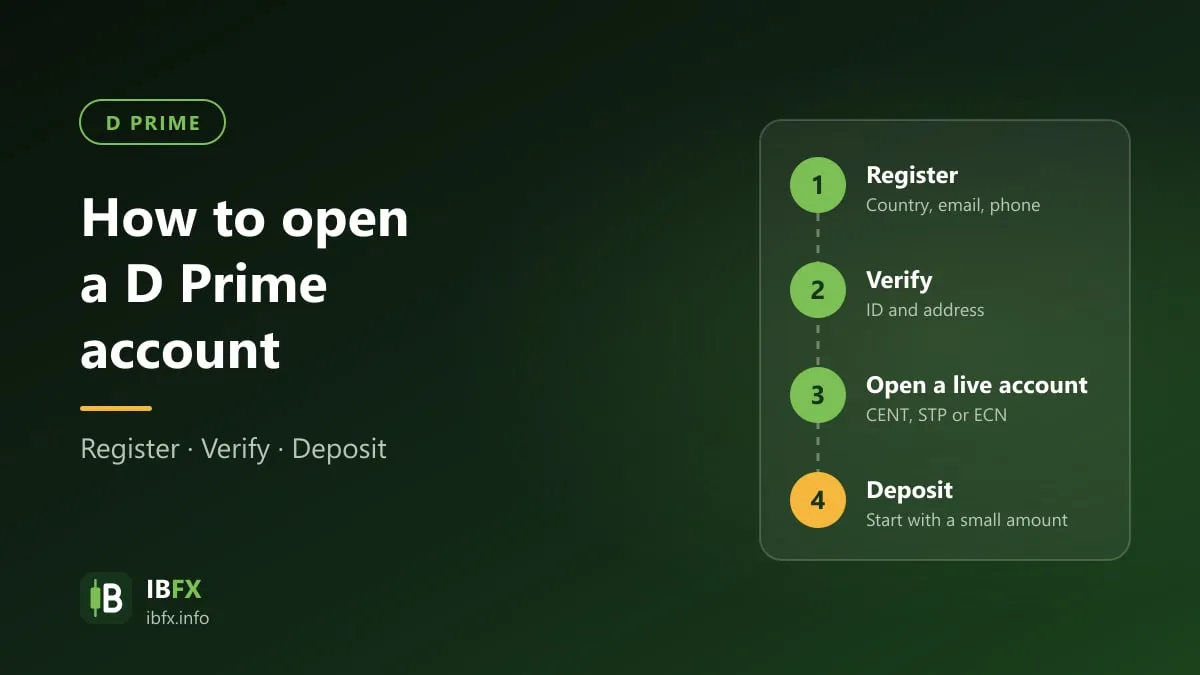
This article walks through opening a D Prime account (formerly Doo Prime) and points out where to stop and read rather than click through.
To be clear up front: this was written on Sep 24, 2026 and IBFX did not open a live account to capture each screen. The signup form was opened for real and read field by field; the steps after login are described from the process D Prime publishes. If your screen differs from this article, trust your screen.
Before you start: in Vietnam, offshore Forex brokers are unlicensed and trading through them is not protected by law. See is Forex trading legal in Vietnam.
What to have ready
- An email address you will keep. Changing it later usually means going through support.
- A phone number with the right country code. The form calls this out specifically.
- Valid photo ID: national ID card or passport, photographed in colour with all four corners visible.
- Proof of address: a utility bill or bank statement showing your name and address.
- The name on your ID, your bank account and your broker account must match. This is the single most common reason a withdrawal gets stuck.
Step 1: Open the signup form
D Prime’s client area is at my.dooprime.com. You can open the signup form through our D Prime referral link.
The form asks first whether you are registering as an individual client or a corporate client, then for your name, country of residence, phone number, email and password.
A few details read from the form on Sep 24, 2026:
- The country list has 249 entries, and Vietnam is among them.
- There is a separate field: “IB referral code (optional, leave blank if no IB referral code has been assigned)”.
- The password must be at least 8 characters with at least one lowercase and one uppercase Latin letter.
About the IB referral field: if you reach the form through a referral link, the code is already carried in the URL and you do not need to type it. Leaving that field blank is correct. Only fill it in when someone has given you a specific code and you want to use theirs.
Step 2: Pick your real country of residence
The country you choose decides which branch signs the agreement with you, which payment methods you see, and whether you may open an account at all. D Prime’s own website states it plainly: your actual rights and obligations will be determined based on the branch and jurisdiction you select.
Choose where you genuinely live. Declaring a different country breaks the terms, and the consequence usually shows up exactly when you withdraw — when your verification documents do not match the country you declared.
D Prime’s licence page has a section called Restricted Regions. IBFX tried three ways to open it and could not, so this article cannot list it. Open it yourself when you sign up.
Step 3: Read the agreement before you accept
This is the most important task in the process, and the one most often skipped.
Under Legal Documents, D Prime publishes the Client Agreement as a PDF (updated December 2025), along with the Risk Disclosure, Privacy Policy, Execution Policy and Refund Policy. IBFX could not read that PDF with automated tools, so it cannot summarise it for you.
What you should do, in about ten minutes:
- Open the Client Agreement and find the name of the company signing with you. The risk disclosure on the site names Doo Prime Vanuatu Limited (company number 700238, VU FSC licence). Check whether your agreement names that same company. The full table is in the D Prime review.
- Find the sections on inactivity fees and withdrawal conditions.
- Write that company name down. It determines where you can complain if anything goes wrong.
Step 4: Verify your identity and address
D Prime describes the process in three steps: register, open a live account once verified and fund it, then start trading. Verification comes before the live account.
A few points apply at any broker:
- Capture all four corners, no glare, nothing covered.
- Screenshots are usually rejected; use a photograph of the physical document or a scan.
- The proof of address must carry your name and match the address you declared.
- Do this before you deposit, so you never have money sitting in the account while a withdrawal is blocked on an unapproved profile.
Step 5: Open a live account and pick the type
Once your profile is approved, you open a live trading account and pick one of three types:
- CENT — from 5 USD, forex, precious metals and energies only.
- STP — from 100 USD, all six market groups, no commission.
- ECN — from 100 USD, spreads from 0.0 pips but with commission.
D Prime account types compares them and works out when ECN beats STP. If you are unsure, starting on CENT is the lowest-risk choice.
At this step you also pick a platform: MT4, MT5, D Prime InTrade or TradingView. Each trading account has its own password, separate from your client-area login — the two are easily confused when installing MetaTrader on a new machine.
Step 6: Run a demo before you deposit
D Prime offers a demo account. Use it first, and use it long enough.
The specific reason with this broker: maximum leverage is 1:1000 on every pair in the specifications table. At that level, 100 USD of margin opens a 100,000 USD position, and a 0.1% move wipes out the margin. Running a demo for a month to learn how much leverage you actually use is a number worth knowing before real money is involved.
Step 7: Fund the account
Once approved, you deposit from the client area. D Prime runs local bank transfer rails in many countries, with no deposit fee and instant processing. Details in D Prime deposits and withdrawals.
The first time, deposit a small amount, place a few small trades, then try withdrawing part of it. A withdrawal that goes through smoothly is a more reliable test than any review, this one included.
Where this usually goes wrong
- Names that do not match. The name on your ID, on your bank account and on your broker account must be one and the same. A missing middle name is enough to hold up a withdrawal.
- Depositing before verifying. The wrong order leaves you waiting at exactly the moment you want to take money out.
- Confusing the client-area password with the MT4 or MT5 account password. They are two different things.
- Declaring the wrong country. The consequence appears at document verification, not at signup.
- Choosing ECN because of “0.0 pips” without asking the commission rate. Ask first, then choose.
- Accepting the terms without opening the agreement file. It is the most important step in the whole process.