On this page
Carrying on our series on the 4 pending order types in MT4, today we will introduce you to a very common order type: the Buy Limit.
What is a Buy Limit?
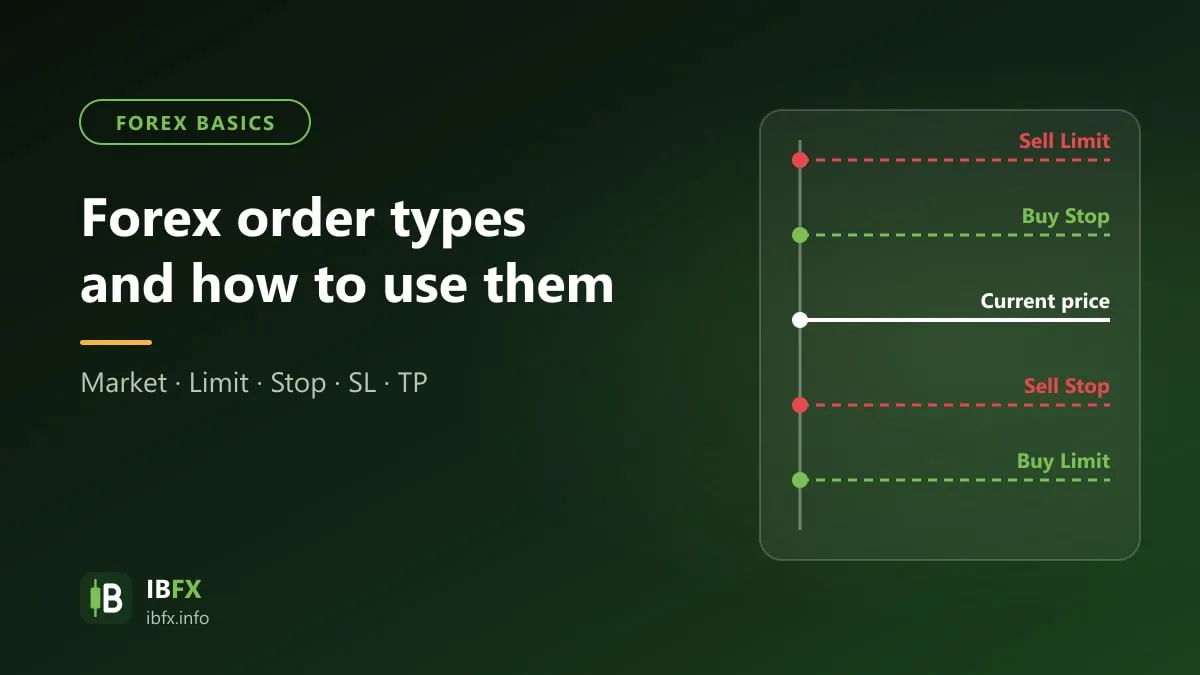
Like the Buy Stop and the Sell Stop, the Buy Limit is 1 of the 4 pending orders in the MT4 software.
Being a pending order, it is not filled immediately the way a market order (Market Execution) is: it is only filled once price reaches the level you set.
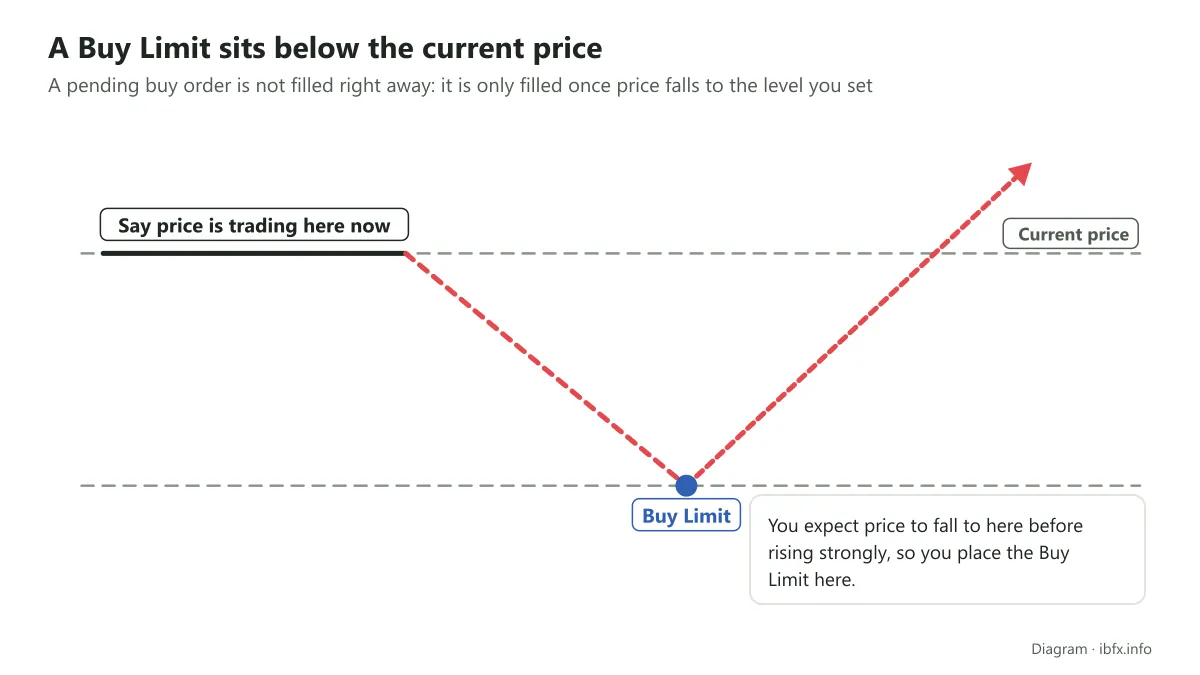
Where Stop orders buy at a price above or sell at a price below the current price (going with the break), Limit orders do the opposite: they buy at a price below or sell at a price above the current price, in the familiar buy low, sell high way.
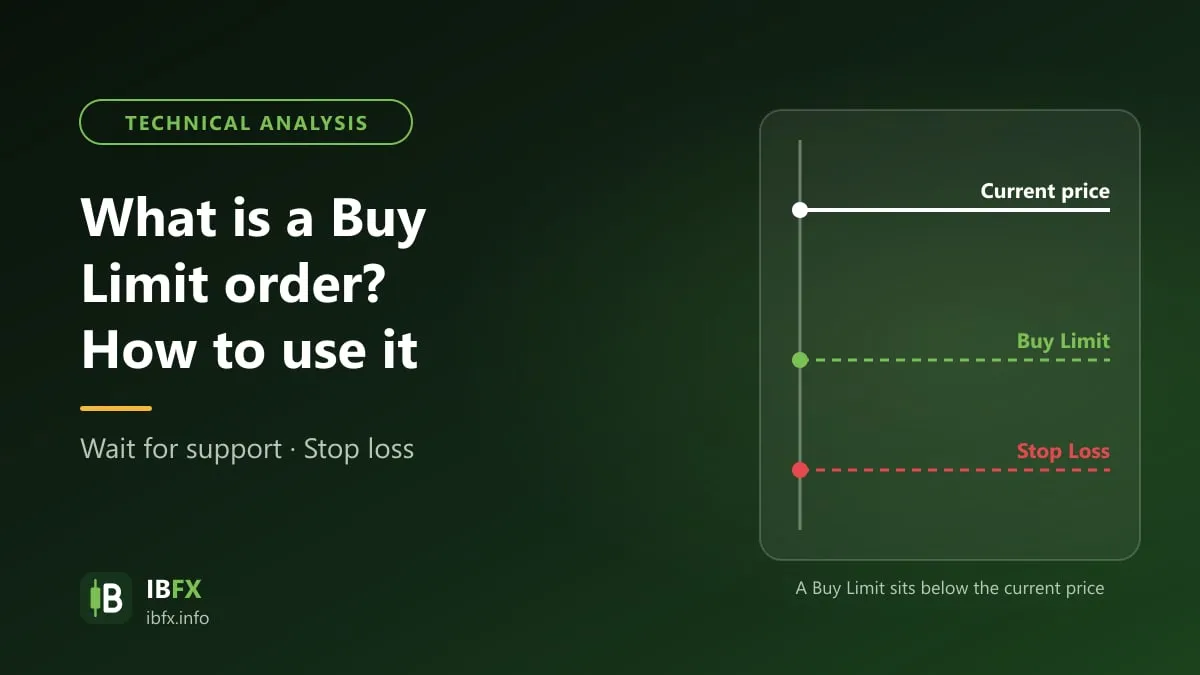
So a Buy Limit means you place a pending buy order at a price below the market’s current price. Note: a Buy order is filled at the Ask price, so it can be filled while the Bid price shown on the chart is still a spread’s distance away from the level you set.
Why use a Buy Limit?
A Buy Limit works like ordinary buying and selling: you wait for a lower price before you buy. If price then rises the way your analysis said it would, buying at a lower price gives you a better profit, and the R:R ratio (risk to reward) comes out closer to your trading plan.
You want to wait for price to come down before you buy, but you do not have the time to sit and watch prices all day. A Buy Limit lets you enter at the price you planned without having your eyes “glued” to the screen; the pending order sits on the broker’s server, so it is still filled even with your computer switched off.
An example of how to use a Buy Limit
A Buy Limit is usually used in an uptrend, to buy when price pulls back to a support area, a Fibonacci retracement level or a moving average.
Example: EUR/USD is in an uptrend, the current price is 1.0900, and you identify a support area around 1.0850. You can place:
- A Buy Limit at 1.0855 (just above the support area).
- The stop loss at 1.0820, below the support area (35 pips).
- The take profit at 1.0950, near the old high (95 pips).
The figures above only illustrate how the order is placed. In the same way, a Sell Limit order is placed above the current price, at a resistance area in a downtrend.
The risks of using a Buy Limit
Sometimes you will miss the opportunity: price does not fall back to the level you set and rises straight away instead.
In plenty of cases you still lose even though you bought at a lower price, because price breaks through the support area and carries on falling. A Buy Limit does not reduce the risk compared with a market order; it only lets you enter at the price you planned. The risk on each trade is always controlled by the stop loss and by the position size.
How to place a Buy Limit order in MT4
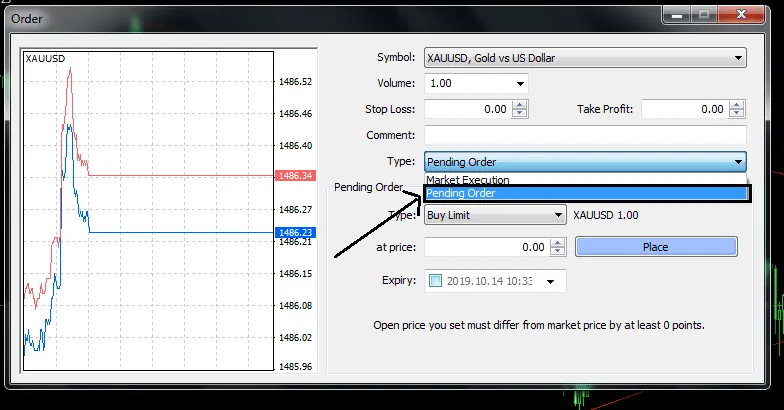
As with the other orders under Pending Order, you first open the MT4 software, click “New Order” or press F9 to bring up the order window, then choose Pending Order in the Type box, as in the image below:
Once you choose Pending Order, 4 order types appear, and you choose Buy Limit.
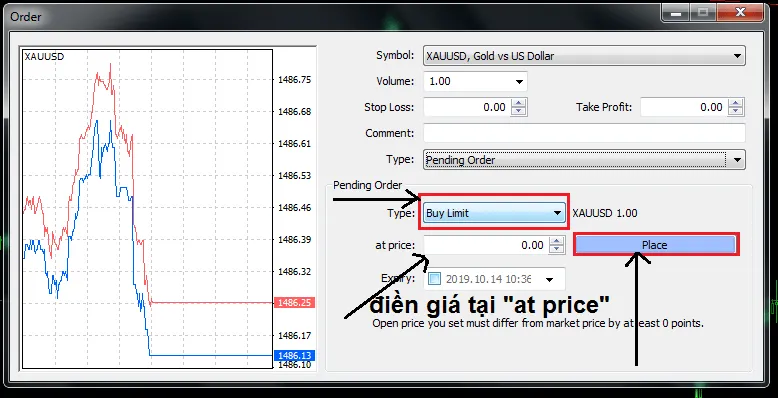
The screenshot shows the Vietnamese interface; the buttons and labels sit in the same places in the English version.
Fill in the price you want to buy at in “at price”, along with the Stop Loss and the Take Profit, then click Place. Never forget to set the stop loss; the take profit should be set according to your trading plan as well. If you need it, you can set an expiry time (Expiry) so the order cancels itself when it is not filled.