On this page
In forex trading, being at home with every order type matters, and it is basic knowledge you ought to have. Besides the Buy and Sell orders that every trader knows, forex has a number of other order types that let you take more initiative in your trading. In this guide we will go through all the order types used in forex trading, along with the advantages and the drawbacks of each.
What is a trading order in forex?
Fundamentally, all these order types exist to serve a trader’s purposes in different circumstances: when you want to wait for a good entry point before you buy, when you are busy with other work but still want a trade to be placed once price reaches a certain level, or when you want to enter right away because you do not want to miss the opportunity.
Because they all start from serving the trader, forex trading has these main order types: market orders, pending orders, stop loss and take profit orders, and the trailing stop.
Market Execution
As the name says, this is an order executed at the market price at the moment you place it.
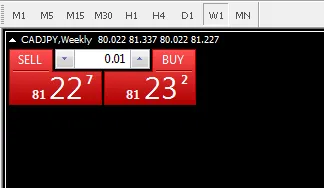
In the image above you can see the broker quoting two prices: 81.227 (the BID) and 81.232 (the ASK). If you place a trade right now, your order is filled at one of those two prices. And of course, as the guide on the spread that we published explains, whether you enter a buy or a sell you still pay the broker the difference. Here the difference is 0.5 pip. On a pair containing JPY, 1 pip is 0.01, so 0.5 pip on 1 lot (100,000 CAD) comes to 500 JPY. On a 5-digit pair such as EUR/USD, 0.5 pip on 1 lot is only 5 USD — the same number of pips but a different amount of money, because the two kinds of pair have pips of a different size.
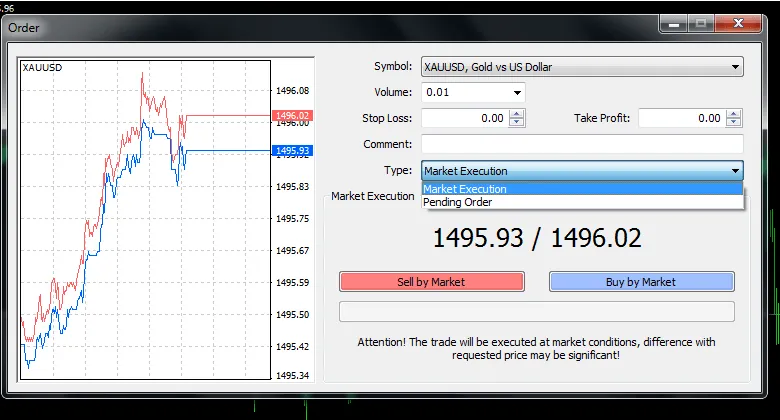
The advantages of Market Execution
- You are filled immediately, at the market price at the moment of the fill (that price can differ a little from the one you saw when you clicked, which is called slippage).
- No worry about missing the opportunity, which is why many traders use it: it is quick, simple and light, with no waiting.
The drawbacks of Market Execution
- It is hard to get a good entry point.
- If you happen to place the order just as the market is moving hard and the spread has widened a lot, you are at a serious disadvantage.
Pending Order types
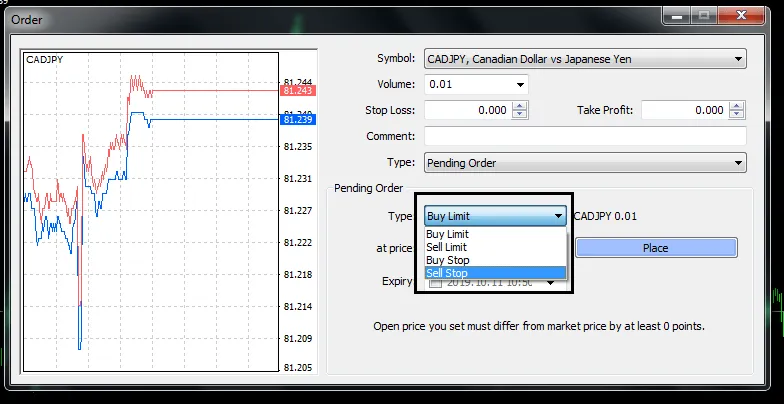
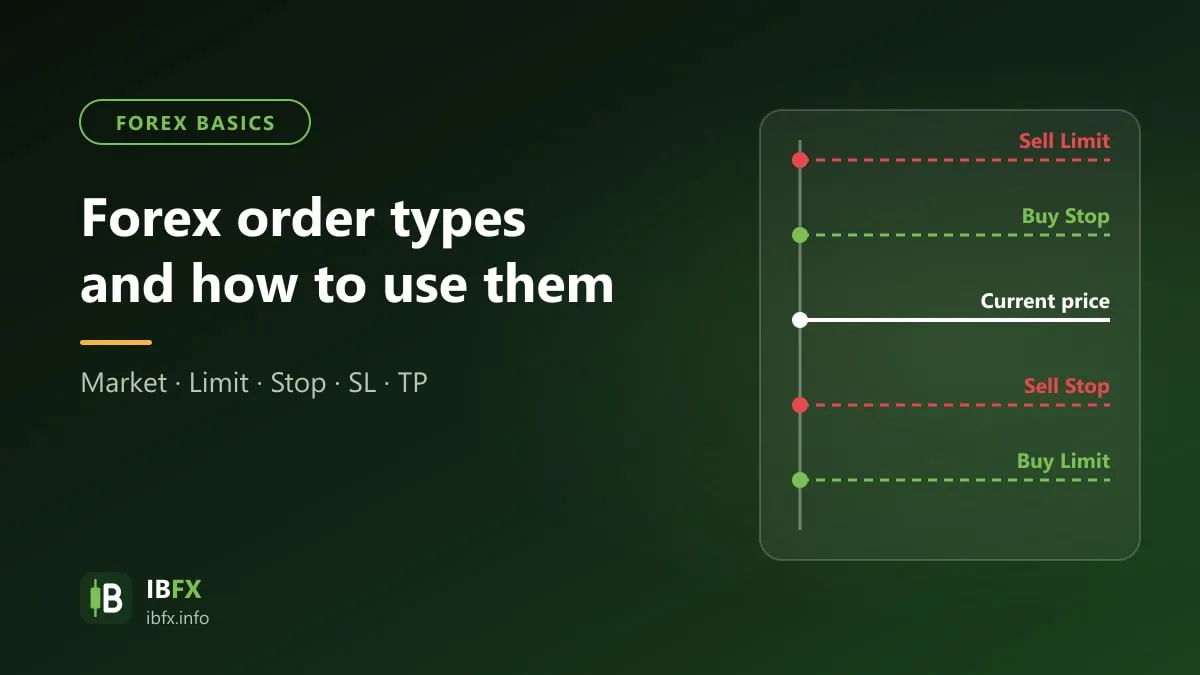
Unlike a market order, a pending order is one where you wait to buy or to sell at the price you want, rather than the price the market is running at now. Forex has two main groups of pending order:
Buy Limit and Sell Limit
These are the common orders that follow the buy low, sell high idea found in every form of trading people have ever done.
Buy Limit: a pending buy order you set when you judge that price will carry on higher, but that before it goes up it may have to fall first. So you set a Buy Limit in order to buy at a better, cheaper price than the one the market is offering now.
Sell Limit: an order you set when you expect price to fall, but that before it falls price may (possibly) have to rise higher than it is now. So you set a Sell Limit in order to place a “sell” at a higher price, and when price falls the way your analysis said it would, you make more.
Buy Stop and Sell Stop
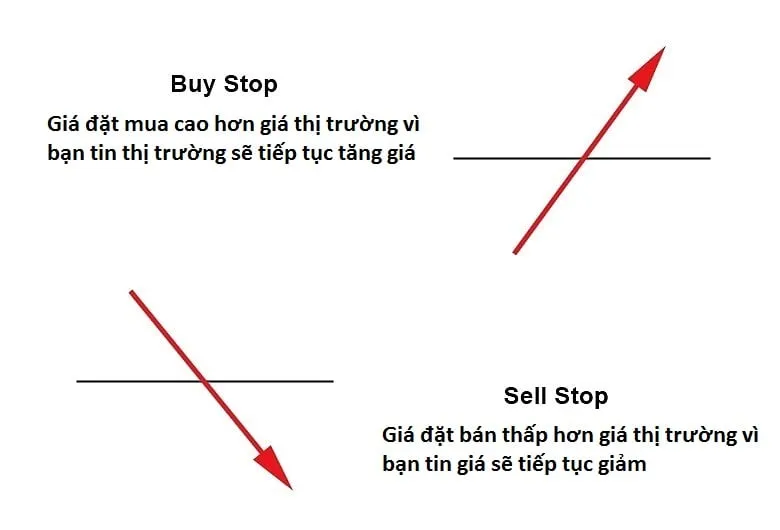
The screenshot shows the Vietnamese interface; the buttons and labels sit in the same places in the English version.
In contrast to the “buy low, sell high” idea of the two pending orders above, Buy Stop and Sell Stop orders mean “buy high and sell low”.
Buy Stop (waiting to buy at a higher price): this is how you place a Buy at a price above the current market price. An order of this kind is usually placed by an investor who believes that before price can confirm its uptrend it has to break through resistance levels or trend lines in order to carry on rising.
Sell Stop (waiting to sell at a lower price): this is how you place a Sell at a price below the current market price. You still have to wait for price to break through the resistance and support levels before you can confirm whether the trend really is falling or not, and only then do you enter.
The advantages of pending orders
- No sitting in front of the screen: the order fills by itself when price reaches the level you chose.
- With a Limit order: you enter at a better price than the current one, so you can set a shorter stop loss and improve your R:R ratio.
- With a Stop order: you only enter once price has broken through the level you chose, which keeps you from entering too early. In exchange, the fill is at a worse price than the current one, and when price jumps hard the order can be filled further away than the level you set (slippage).
The drawbacks of pending orders
- You have to be very patient: sometimes the order fills within a minute, and sometimes it takes one or two hours, or never fills at all!
- Sometimes you miss the entry, because price does not come back to “collect” the trader and instead rises or falls straight away.
- In many cases with a sell stop or a buy stop you have to buy at a high price and sell at a low one. Life is not a dream, though, so right after the order is filled price may not move the way you worked out, which leaves you worse off.
Stop Loss and Take Profit
These are the orders used to manage the risk on each trade. Plenty of people skip these two, thinking that they will do it by hand and so there is no point setting a stop loss and a take profit in advance.
If you do not set them in advance, you usually do not have the nerve to cut the trade once price has gone far beyond what you expected. That leaves you holding a losing position with no way out. Better to “hurt once and be done with it” from the start: set your stop loss and take profit levels before you enter, so that if price really does run that far, the broker does the job for you automatically. And that hurts far less than having to cut the trade with your own hand. For a better understanding of cutting losses, see:
Trailing Stop
This is a rather interesting order: a “moving” stop loss that follows price along when price goes your way (but does not move back when price turns around). It is usually used once you are in profit, to lock in the gain you already have while still letting the trade run.
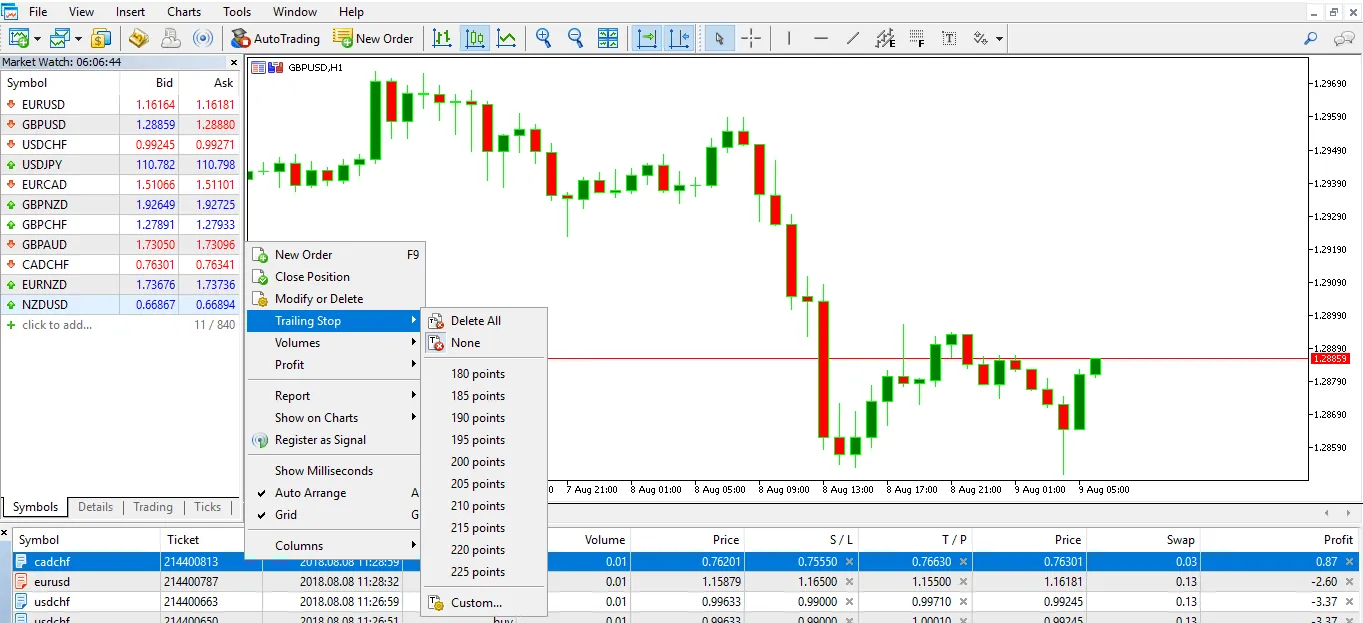
That is, as price moves in your favor your stop loss moves along with it, keeping a set distance according to the number of pips you chose.
A NOTE ON USING THE TRAILING STOP
On MT4, you have to keep your computer and the MT4 software running if you want the Trailing Stop to work. Once you shut the computer down or close the trading software, it stops working. If you want it to stay active with the computer off, you have to rent a VPS (a virtual server).
Forex has a few other orders as well, for example a pending order with a time limit: when you place a pending order you fill in a time in the Expiry field, and if the order has still not been filled by then, the broker cancels it automatically.
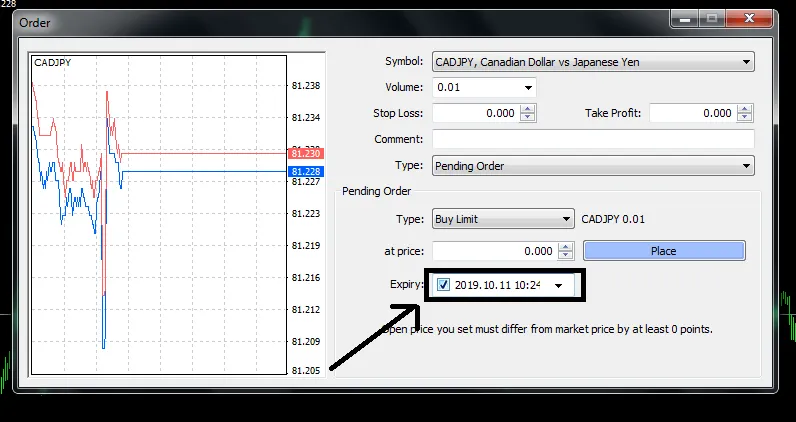
And there are a few other order types besides. As a beginner, though, there is no need to dig any deeper and make things complicated. Practice these orders thoroughly on a demo account until you are comfortable with them, before you use real money.